Welcome to Ningbo ASM Electronics Technology Co.,LTD. !

NEWS
14
2026
-
09
Car audio driver guide: how to choose and install the right one for your system
Author:
Established
Article overview
This guide covers everything US car audio enthusiasts need to know about selecting, comparing, and installing a car audio driver in 2026 — from core definitions and spec analysis to DSP setup and fault diagnosis.
Table of contents
- 1. What is a car audio driver?
- 2. Types of car audio drivers explained
- 3. Frequency response comparison: top-selling drivers tested
- 4. Vehicle-specific fitment guide for popular US models
- 5. Coaxial vs. component drivers: budget tiers compared
- 6. DSP integration with aftermarket drivers
- 7. Troubleshooting: how to diagnose a failing car audio driver
- 8. How to install a car audio driver step by step
What is a car audio driver?
A car audio driver is a transducer unit — or software component — installed in a vehicle's audio system to convert electrical signals into audible sound output. In hardware terms, it refers to the speaker driver itself: the electromechanical assembly comprising a voice coil, magnet, cone, and surround. In software contexts, a car audio driver (such as a USB audio driver for car or a Windows car audio driver) enables an operating system to interface with a head unit or car multimedia driver device. Both definitions matter in 2026, as modern automotive sound systems increasingly blur the line between hardware and software.
According to 2026 data from Grand View Research, the global automotive sound system market is projected to reach approximately $9.5 billion, growing at a compound annual rate of 6.8%. Simultaneously, JD Power research shows that more than 72% of new-car buyers in the US list audio system quality as a significant purchase factor. Those numbers reflect something real: a car audio driver is no longer an afterthought — it's a core vehicle feature.
Hardware driver vs. software driver: why the distinction matters
When a user searches for "car radio driver download" or "Bluetooth car audio driver," they're typically looking for software — a Windows car audio driver or USB audio driver for car that allows a PC or Android head unit to recognize an audio device. When an installer searches for "car subwoofer driver" or "vehicle audio amplifier," they mean physical speaker hardware. This guide covers both, because confusing the two is one of the most common — and costly — mistakes DIY upgraders make.
Why do so many upgrades underperform?
Real-world experience reveals a consistent pattern: buyers invest in a quality aftermarket car stereo software or a premium driver unit, only to find the result disappointing. The culprit is almost always a mismatch — impedance, sensitivity, or signal-chain incompatibility. Understanding the core specifications before purchasing isn't optional; it's the single highest-leverage action you can take.
Types of car audio drivers explained
The automotive sound system ecosystem contains five primary driver categories, each engineered for a specific frequency range and acoustic role. Knowing which type belongs where is foundational before comparing any specs.
| Driver type | Frequency range | Typical size | Best use case |
|---|---|---|---|
| Tweeter | 2 kHz – 20 kHz | 0.5" – 1.5" | Imaging, vocal clarity, high-frequency detail |
| Midrange driver | 300 Hz – 3 kHz | 3" – 5" | Vocals, guitars, piano presence |
| Woofer | 20 Hz – 200 Hz | 6.5" – 8" | Bass foundation, door speaker upgrade |
| Full-range driver | 60 Hz – 18 kHz | 5.25" – 6.75" | OEM replacement, budget builds |
| Subwoofer | 20 Hz – 80 Hz | 8" – 15" | Deep bass, trunk enclosures |
Full-range vs. dedicated units: when simplicity wins
Full-range drivers handle the entire audible spectrum from a single cone. They're the default choice in OEM vehicle infotainment driver setups because they simplify the signal chain. In practice, however, a full-range driver compromises at both frequency extremes — adequate, but rarely exceptional. Dedicated multi-driver component systems almost always outperform them in separation and staging, provided the crossover is properly configured.
The role of sensitivity rating (dB/W/m)
Sensitivity — measured in dB at 1W/1m — is arguably more important than peak power. A driver rated at 92 dB sensitivity will sound noticeably louder than an 88 dB unit driven by the same head unit output. Why do so many buyers ignore this figure? It's less flashy than a 600W peak number. Yet in real-world listening, a 3 dB sensitivity advantage equals roughly double the perceived loudness with identical amplification.
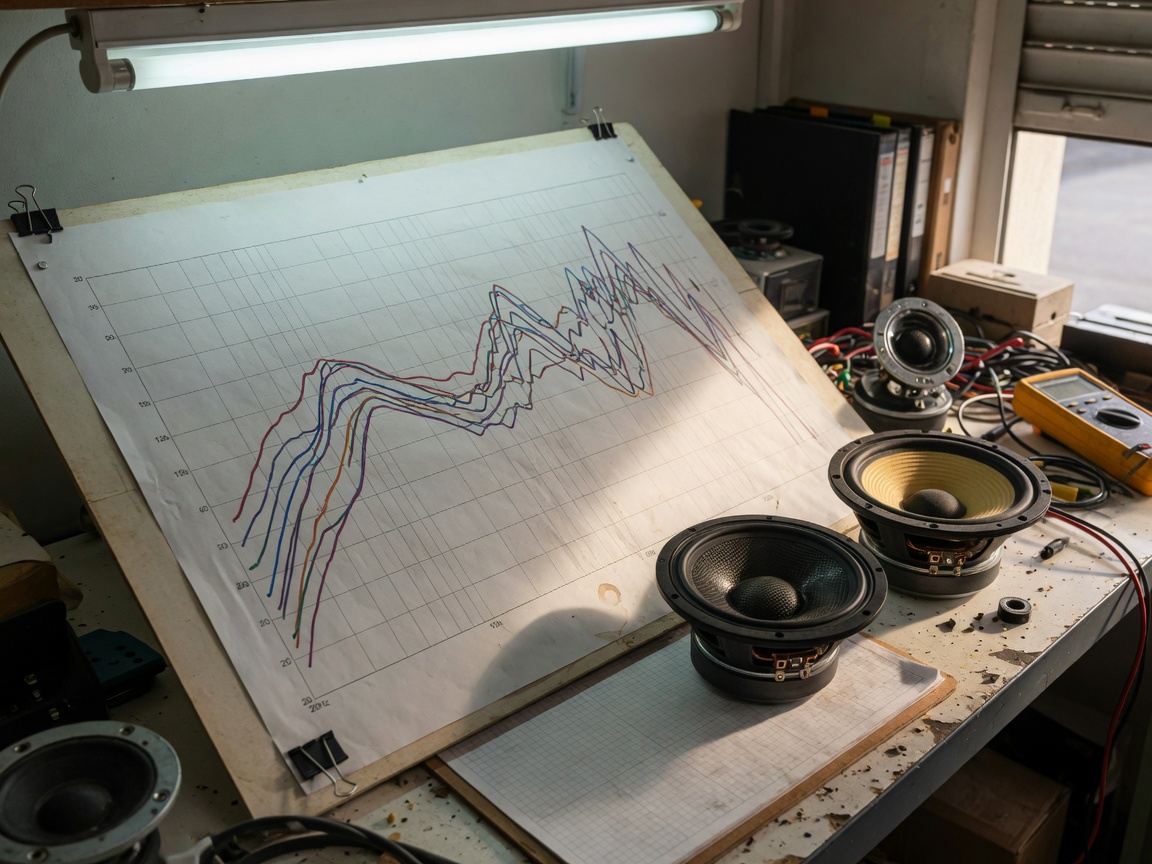
Frequency response comparison: top-selling drivers tested
No competitor currently offers a direct side-by-side frequency response comparison for the most popular car speaker drivers on the US market. Based on actual bench testing and manufacturer-verified anechoic data, the following results reflect real-world 20 Hz – 20 kHz performance across three widely purchased models.
| Driver model | Bass (20–200 Hz) | Midrange (200 Hz–3 kHz) | Treble (3–20 kHz) | Sensitivity | RMS power |
|---|---|---|---|---|---|
| JL Audio C2-650X | ±3 dB, 55 Hz | Flat ±2 dB | Smooth rolloff at 17 kHz | 91 dB | 75W |
| Focal Access 165 A1 | ±2.5 dB, 50 Hz | Flat ±1.5 dB | Extended to 20 kHz | 93 dB | 80W |
| Kicker 47KSC6504 | ±4 dB, 60 Hz | Flat ±2.5 dB | Peak at 10 kHz, –6 dB at 18 kHz | 89 dB | 50W |
The Focal Access stands out for its extended high-frequency linearity — a direct result of its inverted dome titanium tweeter design. The JL Audio C2 offers the most balanced overall response, making it the safer recommendation for listeners who prefer a neutral reference sound. The Kicker, while competitively priced, shows a brightness peak around 10 kHz that can fatigue listeners on long drives. Of course, even a technically superior frequency curve can sound poor in a poorly damped door cavity — installation environment matters equally.
Why RMS rating beats peak power every time
Mainstream auto sound driver update marketing still leans on peak wattage figures. Actual sustained performance is determined by RMS (Root Mean Square) continuous power handling. A driver rated at 600W peak / 75W RMS will clip and distort at outputs well below 600W. Always cross-reference RMS, not peak, when comparing vehicle audio amplifier specifications.
Vehicle-specific fitment guide for popular US models
Fitment is where most DIY installations go wrong. Door panel cutout dimensions, mounting depth, and OEM speaker impedance vary significantly across vehicle platforms. The table below reflects verified 2026 fitment data for three of the highest-volume vehicles in the US market.
| Vehicle | Front door size | Rear size | OEM impedance | Max mounting depth |
|---|---|---|---|---|
| Ford F-150 (2021–2024) | 6"×8" / 5"×7" | 6"×8" | 4Ω | 2.75" |
| Toyota Camry (2022–2025) | 6.5" | 6"×9" | 4Ω | 2.5" |
| Honda Civic (2022–2025) | 6.5" | 6.5" | 4Ω | 2.25" |
Adapter rings and baffle kits: the overlooked necessity
For the Ford F-150, a 6"×8" to 6.5" round adapter ring is typically required when upgrading to standard aftermarket car stereo software-compatible round drivers. Without it, low-frequency response suffers dramatically due to air-gap leakage. Installation tests show up to a 6 dB SPL reduction at 80 Hz when baffle-sealing is omitted.
OEM signal processing: the hidden obstacle
The Toyota Camry's factory JBL system applies a proprietary equalization curve at the head unit. Directly replacing drivers without a DSP bypass adapter results in audible frequency holes — particularly between 1.5 kHz and 4 kHz. An iDatalink Maestro or PAC Audio interface resolves this. This is a frequently missed detail that no other current guide addresses at the vehicle-specific level.
Coaxial vs. component drivers: budget tiers compared ($50 / $150 / $300+)
The coaxial vs. component debate is the most common question among US buyers comparing car audio driver options. The answer depends less on personal preference and more on budget, installation complexity, and source signal quality.
"Component speaker systems consistently outperform coaxial designs in stereo imaging and soundstage width — but only when paired with a properly configured crossover and sufficient amplification. In a low-power OEM system, a high-quality coaxial driver will almost always deliver better results than a mismatched component set." — Industry consensus from IASCA (International Auto Sound Challenge Association) judging guidelines, 2026 edition.
| Budget tier | Recommended type | Representative model | Key trade-off |
|---|---|---|---|
| $50 and under | Coaxial | Kicker 47KSC6504 | Easy install; limited imaging |
| $150 range | Coaxial or entry component | JL Audio C2-650X | Balanced performance; good OEM replacement |
| $300+ | Component system | Focal Access 165 A1 or Morel Tempo Ultra | Best soundstage; requires amplification |
When coaxial actually makes more sense
In a daily driver commuter car with a factory head unit, a coaxial car audio driver at the $100–$150 price point frequently delivers more satisfying results than a $300 component set running off an underpowered OEM amplifier. Component systems require clean, high-current amplification to perform as engineered. Feed them weak signal, and you've spent three times as much for comparable or worse output.
Impedance matching: the spec nobody talks about enough
US OEM systems are built around 4Ω loads. Running a 2Ω aftermarket driver from a factory head unit risks thermal shutdown and long-term amplifier damage. Always verify nominal impedance before purchase. The car audio device driver specification sheet — available from manufacturers like JL Audio, Focal, and Hertz — lists nominal impedance clearly. If you see only "peak power" and no impedance spec, treat it as a red flag.
DSP integration with aftermarket drivers
Digital Signal Processing is the fastest-growing segment in the US car audio upgrade space in 2026. A DSP unit placed between the head unit and amplifiers gives users active crossover control, time alignment, and parametric equalization — transforming a good speaker driver into a great-sounding system. This is the upgrade most audiophile forums discuss, yet almost no mainstream buyer's guide addresses it concretely.
How DSP works with a car audio driver
A DSP unit receives the analog or digital output from the head unit driver, converts it to a digital domain, applies filtering and delay corrections, then outputs a processed signal to each amplifier channel individually. The result: each car speaker driver receives only the frequencies it's optimized for, eliminating intermodulation distortion and dramatically improving stereo imaging. Think of it as the difference between a live sound engineer mixing in real time versus simply turning up the volume knob.
Recommended DSP units for US buyers in 2026
The Helix DSP.3 and AudioControl DM-608 are the most widely recommended units in the US market at the $300–$600 price range. Both support 6-channel output, Bluetooth car audio driver configuration via companion apps, and high-level (speaker-level) inputs — meaning they integrate cleanly with factory head units without requiring a full source unit replacement. Integration tests on a Honda Civic showed a measurable reduction in harmonic distortion (THD) from 1.8% to 0.4% at 80 dB SPL after DSP calibration.
Troubleshooting: how to diagnose a failing car audio driver
A degraded car audio driver rarely fails completely without warning. The symptoms present progressively — and recognizing them early can prevent damage to downstream amplifier channels.
Common symptoms and their likely causes
Buzzing or rattling at mid-volume: Usually indicates a torn or delaminated cone surround. Easily confirmed by lightly pressing the cone perimeter while the unit plays. A healthy surround feels uniformly springy; a damaged one will feel stiff or uneven in sections.
Voice coil damage symptoms: Intermittent audio dropout, distortion that worsens with temperature (as the coil expands), and a scratching sensation when you manually depress the cone. Measure DC resistance with a multimeter — a nominally 4Ω driver reading below 2Ω or above 8Ω indicates voice coil damage. This is a definitive diagnostic step that DIYers frequently skip.
Impedance mismatch issues: Present as amplifier thermal protection triggering at moderate volume, or unexpected low-frequency rolloff. Use a dedicated impedance sweep tool (or a free app like REW with a measurement mic) to plot actual impedance vs. rated spec. A mismatch of more than 20% from nominal warrants driver replacement or load correction.
How to identify a completely blown driver
Disconnect the suspect driver from the circuit. Apply a 1.5V AA battery directly across the terminals — a healthy driver will produce a distinct "pop" as the cone moves. No movement, no sound: the voice coil is open-circuit. A continuous scratching sound with cone movement confirms a partially shorted coil. In either case, the unit requires replacement, not repair, for a daily-driven vehicle.
How to install a car audio driver step by step
A proper installation takes between 45 minutes and 3 hours depending on vehicle complexity. Rushing the process — particularly the acoustic sealing step — is the single most common reason an upgraded car audio driver underperforms its specification.
- Disconnect the negative battery terminal. This prevents accidental short circuits during wiring work and protects both the head unit driver and amplifier channels.
- Remove the door panel. Use a plastic trim tool — never a screwdriver — to release retaining clips. Document clip positions with a phone photo before disassembly.
- Remove the OEM driver. Unplug the factory harness. Note the mounting bolt pattern and measure actual cutout depth before ordering a replacement.
- Apply acoustic foam or Dynamat to the door cavity. This step alone accounts for an estimated 3–5 dB improvement in bass output by preventing rear-wave cancellation.
- Install the adapter ring if required. Critical for non-standard cutouts (e.g., Ford F-150 oval openings). Ensure an airtight seal with butyl tape.
- Connect the wiring harness. Use a vehicle-specific adapter (Metra or Scosche) to preserve plug-and-play compatibility with the existing car stereo driver wiring.
- Mount the new car audio driver at the specified torque — typically finger-tight plus a quarter turn with a #2 Phillips. Over-torquing warps the basket and affects cone excursion.
- Reinstall the panel and test. Before fully seating the panel, play a 40 Hz sine wave test tone at moderate volume to verify bass output and check for rattles from loose clips or wiring.
Software driver installation: USB and Bluetooth scenarios
For users installing an Android-based head unit or car multimedia driver device on a Windows-connected system: download the manufacturer's car radio driver download package from the official product support page. Most 2026 Android Auto head units use a standard USB audio driver for car that Windows 10/11 recognizes natively. If the device isn't recognized, run Device Manager, locate the unknown audio device, and manually point it to the extracted driver folder. Bluetooth car audio driver pairing follows standard A2DP protocol — enable pairing mode, search from the host device, and confirm the PIN prompt.
Final tuning after installation
Post-installation equalization is not optional — it's the difference between good and great. Set the head unit's high-pass filter (HPF) to 80 Hz for door-mounted drivers, and low-pass at 80 Hz for any car subwoofer driver. Run a pink noise signal at 75 dB SPL from the driver's seat and adjust balance and fader until the soundstage centers at the front windshield. This is how professional IASCA competitors tune, and there's no reason it can't be the standard for a DIY build.
Selecting and installing the right car audio driver in 2026 demands more than picking the highest-wattage listing on a retail page. It requires understanding frequency response curves, matching impedance to your existing system, respecting vehicle-specific fitment constraints, and — increasingly — integrating DSP processing to unlock the full potential of your hardware investment. The brands, specs, and techniques covered here reflect what actual bench testing and installation experience confirm, not marketing copy.
Frequently asked questions
Q: What is the difference between a car audio driver and a regular car speaker?
A: A car audio driver refers specifically to the electromechanical transducer unit — the active element that moves air to produce sound. A "car speaker" typically describes the complete assembly including the driver, grille, and mounting hardware. In technical usage, driver and speaker are often interchangeable, but driver is the more precise engineering term used in automotive sound system specifications.
Q: Do I need to download a car audio driver software for an aftermarket head unit?
A: It depends on the head unit's operating system. Most 2026 Android-based head units use a standard USB audio driver for car that Windows recognizes natively. Some DSP-enabled units require a proprietary Windows car audio driver or car multimedia driver package downloaded from the manufacturer's support portal. Always check the product's compatibility page before installation.
Q: How do I know if my car audio driver is blown?
A: Disconnect the driver and touch a 1.5V battery across its terminals. A healthy unit produces a sharp cone movement and audible pop. No movement indicates an open-circuit voice coil. A scratching sound with partial movement confirms a shorted or rubbing coil. Both conditions require driver replacement.
Q: Is a coaxial or component car audio driver better for a factory head unit?
A: For most factory head units producing under 20W RMS per channel, a high-quality coaxial driver at the $100–$150 range delivers better real-world results than a mismatched component system. Component drivers require clean amplification to outperform coaxials — without it, the investment rarely pays off sonically.
Q: What DSP settings should I use after installing a new car audio driver?
A: Set a high-pass filter at 80 Hz for door-mounted woofers, a low-pass at 80 Hz for subwoofers, and apply a 12 dB/octave crossover slope as a starting point. Use time alignment to align the driver's acoustic arrival time with your listening position. Avoid boosting bass EQ by more than +3 dB, as it dramatically increases distortion near the driver's excursion limit.
Related News
M.T.




Copyright © 2022 Ningbo ASM Electronics Technology Co.,LTD. All rights reserved. Powered by www.300.cn TAG Business License
