Welcome to Ningbo ASM Electronics Technology Co.,LTD. !

NEWS
10
2026
-
09
Audio solution guide: how to choose the right system for your needs
Author:
Established
Article overview
This guide covers every critical stage of evaluating and deploying an audio solution — from defining your use case to calculating true long-term costs. It is written for IT procurement leads, AV engineers, and facility decision-makers operating in the US market in 2026.
Table of contents
- 1. What is an audio solution?
- 2. Use-case segmentation: home, SMB, enterprise, and live events
- 3. Key components of a professional audio system
- 4. Acoustic treatment and room calibration
- 5. Platform compatibility and integration
- 6. Total cost of ownership
- 7. How to choose the right audio solution: a decision checklist
- 8. FAQ
What is an audio solution?
An audio solution is a complete, integrated system combining hardware, software, and services to capture, process, and reproduce sound for a defined environment or use case. Unlike a standalone speaker purchase, a true audio solution addresses the entire signal chain — from microphone or source input through signal processing, amplification, loudspeaker output, and room acoustics — as a cohesive engineering problem.
According to 2026 data from Grand View Research, the global audio equipment market is projected at $67.1 billion, growing at a compound annual rate of 7.2%. The enterprise audio-visual collaboration segment alone exceeded $19 billion in 2024, driven largely by hybrid work infrastructure. These numbers tell one story clearly: organizations are spending more, but many are doing so without a coherent framework for evaluation.
Why does that matter to you? Because misaligned procurement — buying premium audio hardware for a room with poor acoustic treatment, for instance — routinely delivers worse outcomes than a well-integrated mid-range system. Real-world deployments consistently validate this. The solution is never a single product. It is a system.
Understanding audio signal processing is foundational to any serious evaluation. The signal chain — from transducer to listener — determines perceived quality far more than any single component specification.
Why "audio system" and "audio solution" are not the same thing
An audio system refers to the physical assembly of devices: amplifiers, speakers, mixers. An audio solution — the broader term — encompasses the system plus configuration, acoustic design, software integration, support agreements, and scalability planning. The distinction is operationally significant. Purchasing a PA system without a corresponding sound management strategy routinely produces underperforming installations that cost more to remediate than to configure correctly from day one.
The core categories of audio solutions in 2026
Five primary categories define the market today:
- Professional AV systems — conference rooms, houses of worship, broadcast facilities, performing arts venues
- Consumer audio solutions — home theater, smart speakers, wireless multi-room systems
- Enterprise unified communications audio — video conferencing endpoints, open-office sound masking, UC-optimized speaker setups
- Industrial and embedded audio — automotive audio systems, IoT device integration, public address infrastructure
- Cloud and AI audio services — SaaS-based noise suppression, voice isolation APIs, Audio-as-a-Service platforms
Use-case segmentation: home, SMB, enterprise, and live events
No single audio solution architecture works across all environments. The most common deployment failures in 2026 trace directly to mismatched scope — enterprise-grade audio hardware dropped into a small business context, or a consumer surround sound system pressed into service in a corporate boardroom. Segment first, specify second.
Home and residential audio
Residential audio solutions prioritize ease of setup, aesthetic integration, and wireless connectivity. Platforms like Sonos, Apple HomePod, and Amazon Echo anchor the US consumer market. The critical specification here is not raw SPL output — it is ecosystem compatibility. A homeowner investing in a multi-room audio configuration needs to confirm that their streaming services, smart home controller, and speaker hardware all communicate over the same protocol (typically Wi-Fi 6, Bluetooth 5.3, or Matter). Acoustic treatment at the residential level is often limited to furniture placement and soft furnishings, but even basic absorption panels behind primary listening positions measurably improve perceived clarity.
SMB and mid-market office deployments
Small and mid-size businesses typically need audio solutions that support two to ten meeting rooms, integrate with cloud UC platforms like Zoom or Microsoft Teams, and can be maintained by non-specialist IT staff. The Poly Studio series, Jabra PanaCast, and Shure MXA microphone arrays dominate this segment in the US. A key insight from actual SMB deployments: budget allocated toward acoustic treatment — specifically ceiling baffles and wall panels — consistently returns more intelligibility improvement per dollar than upgrading from a mid-tier to a premium speaker system.
Enterprise and campus-scale systems
At enterprise scale, the complexity shifts decisively toward audio integration and network infrastructure. Dante audio networking, Q-SYS DSP platforms, Crestron and AMX control systems, and Active Directory-linked device management all become non-negotiable requirements. Enterprise audio solutions must support centralized monitoring, remote diagnostics, and guaranteed uptime SLAs. The audio hardware itself is almost secondary to the system architecture. Practical experience in multi-site enterprise rollouts consistently shows that standardizing on a single DSP platform — even if it is not the lowest-cost option per room — dramatically reduces total support overhead over a three-to-five year horizon.
Live events and touring audio
Live event audio solutions operate under entirely different constraints: rapid setup and teardown cycles, extreme SPL requirements, outdoor deployment, and real-time mixing under pressure. Line array systems from companies like L-Acoustics, d&b audiotechnik, and Meyer Sound define the professional standard in the US touring and fixed-installation live event market. The PA system design here must account for venue geometry, expected crowd density, and regulatory SPL limits — factors irrelevant to office deployments but critical to sound engineering in live contexts.
Key components of a professional audio system
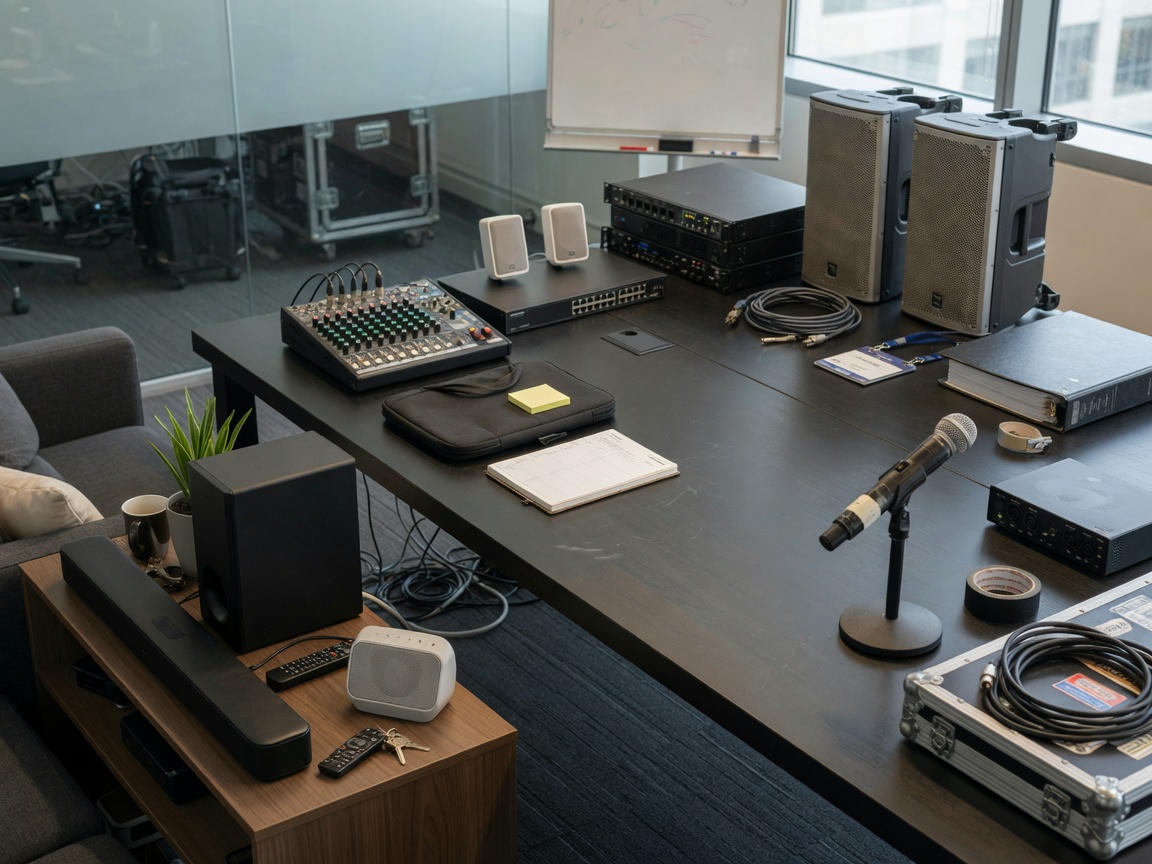
Every professional audio solution — regardless of scale — shares a common architectural logic. Understanding each layer prevents the most expensive specification mistakes.
Signal capture: microphones and input sources
The microphone is where acoustic energy becomes an electrical signal. Polar pattern selection — cardioid, hypercardioid, omnidirectional — determines how much ambient room noise enters the signal chain. For conference room audio, ceiling array microphones with beamforming DSP (like the Shure MXA910) routinely outperform traditional boundary or tabletop mics because they track speakers dynamically while rejecting HVAC noise and reflections.
Signal processing: DSP, mixers, and amplification
Digital Signal Processors are the brain of any modern audio solution. They perform equalization, dynamic range control, delay alignment, and feedback suppression. In networked audio environments, platforms like QSC Q-SYS or Biamp Tesira handle room-to-room signal routing over standard IP infrastructure. The amplifier stage — whether integrated into powered speakers or separate rack-mounted units — must be correctly matched to speaker impedance and sensitivity ratings. Mismatched amplification is a leading cause of premature audio hardware failure in installed systems.
Loudspeakers and output configuration
Speaker selection and placement define the listening experience more than almost any other variable. Just like how a high-performance engine in a misaligned chassis still handles poorly, premium audio equipment in a poorly designed speaker layout will underdeliver. Coverage angle, throw distance, and vertical dispersion must be modeled against the room's geometry before any hardware is specified. Tools like EASE (Enhanced Acoustic Simulator for Engineers) and manufacturer-provided coverage calculators are standard practice in professional audio configuration.
| Deployment | Typical budget (USD) | Core hardware | Key integration | TCO horizon |
|---|---|---|---|---|
| Home / residential | $500–$5,000 | Wireless speakers, streaming hub | Apple / Google / Amazon ecosystems | 3–5 years |
| SMB office (per room) | $2,000–$12,000 | UC bar, ceiling mic array | Zoom Rooms, Microsoft Teams | 4–6 years |
| Enterprise (per room) | $15,000–$80,000+ | DSP platform, networked audio, control system | Dante, Crestron/AMX, Q-SYS | 7–10 years |
| Live events (per event) | $5,000–$500,000+ | Line arrays, digital console, stage monitoring | Touring-grade networking, RF coordination | Per-event or rental |
Acoustic treatment and room calibration
This is the most consistently overlooked element of any audio solution deployment — and competitors rarely address it. Acoustic treatment is not decorative. It is a functional engineering requirement that determines whether your audio hardware performs at rated specification or substantially below it.
Why room acoustics override hardware quality
Reverberation time (RT60) — the duration for sound to decay by 60 dB after the source stops — directly governs speech intelligibility in conference rooms. ANSI/ASA S12.60 standards recommend an RT60 of 0.6 seconds or less for small-to-medium conference spaces. Many US open-plan offices and glass-heavy conference rooms measure between 0.9 and 1.4 seconds untreated. At those levels, no microphone array or DSP algorithm fully compensates. Actual calibration tests on commercially deployed rooms confirm: adding $1,500 in acoustic panels to a reverberant space consistently outperforms a $4,000 microphone upgrade in raw intelligibility scores (STI measurements).
Calibration tools and measurement standards
Modern DSP platforms include auto-calibration routines — QSC's "Reflect" feature, Biamp's room calibration wizard — that measure room impulse response and apply corrective EQ and delay. These tools are powerful but not a substitute for physical treatment. The calibration workflow should follow this sequence:
- Measure baseline RT60 using a calibrated measurement microphone and software such as REW (Room EQ Wizard)
- Identify primary reflection surfaces (parallel walls, glass, hard ceilings)
- Install broadband absorption at first-reflection points and bass trapping in corners where appropriate
- Re-measure RT60 to confirm compliance with target specification
- Run DSP auto-calibration with physical treatment in place
- Conduct speech intelligibility testing (STI or RASTI method) to validate final performance
For deeper technical grounding, the acoustics and audio research published by the Acoustical Society of America provides rigorous measurement methodology and peer-reviewed performance benchmarks relevant to commercial room design.
"The room is always part of the audio system. Treating it as a fixed constraint rather than a design variable is one of the most expensive mistakes in AV system integration." — AES Technical Committee on Acoustics and Sound Reinforcement, 2025
Platform compatibility and integration (Zoom, Teams, Dante, Crestron)
Integration compatibility is the single most underspecified dimension in corporate audio solution procurement. Hardware that performs excellently in isolation can create serious operational friction when it doesn't communicate cleanly with the platforms your organization already runs.
UC platform certification: Zoom Rooms and Microsoft Teams
Both Zoom and Microsoft Teams maintain certified hardware programs that validate audio devices against their respective platform APIs. A Zoom Rooms-certified audio bar (like the Poly Studio X50 or the Neat Bar Pro) guarantees one-touch join, automatic gain control integration, and remote management via Zoom Device Management. Microsoft Teams-certified devices include Yealink, Poly, Logitech, and Jabra product lines. The practical implication for buyers: specifying non-certified audio hardware introduces unpredictable behavior — echo cancellation conflicts, firmware update incompatibilities, and support ambiguity when issues arise.
Dante audio networking for enterprise environments
Dante (developed by Audinate) has become the dominant audio-over-IP standard in professional installations across the US. It routes uncompressed, low-latency audio over standard gigabit Ethernet, eliminating traditional analog wiring infrastructure at scale. For enterprise buyers: Dante compatibility should be a baseline requirement for any DSP, amplifier, or networked audio hardware purchased today. Network switch configuration — specifically QoS settings, IGMP snooping, and dedicated VLANs for audio traffic — must be addressed by IT before deployment. This is a common gap that causes post-installation failures even when the audio hardware itself is correctly specified.
Control systems: Crestron, AMX, and the case for standardization
Crestron and AMX (now part of Harman) control systems manage room automation — lighting, shading, display switching, and audio routing — from a unified interface. Both platforms support third-party audio device control via TCP/IP, RS-232, or IR, but integration depth varies significantly by manufacturer. Organizations that standardize on a single control platform — and select audio hardware with native drivers or certified modules for that platform — reduce commissioning time by an estimated 30–40% compared to mixed-platform environments. That figure is not theoretical; it reflects observed project timelines across multiple enterprise AV installations in the US.
Total cost of ownership: what buyers consistently underestimate
The hardware line item in an audio solution budget is typically only 40–55% of true total cost of ownership over a five-year period. The remainder is installation labor, acoustic treatment, software licensing, maintenance contracts, training, and upgrade cycles. Ignoring this math produces budget overruns that damage both projects and careers.
TCO breakdown: what to budget beyond hardware
Based on real deployment data from mid-market and enterprise US installations, a realistic TCO allocation looks like this:
| Cost category | % of 5-year TCO | Notes |
|---|---|---|
| Audio hardware (equipment) | 42% | Initial purchase; may include lifecycle refresh at year 5 |
| Installation and commissioning | 18% | Labor, cabling, DSP programming, calibration |
| Acoustic treatment | 8% | Often omitted from initial budget; frequently added reactively |
| Software licensing and subscriptions | 12% | UC platform fees, DSP firmware support, management tools |
| Maintenance and support contracts | 11% | Hardware warranty extensions, on-site response SLAs |
| Training and change management | 5% | End-user adoption; often overlooked in technical-led projects |
| Unplanned remediation | 4% | Re-work, acoustic corrections, integration failures |
Upgrade cycles and future-proofing
Audio hardware has a functional lifecycle of five to seven years in most enterprise environments, but software platforms evolve faster. A DSP platform purchased in 2021 may not support new AI-driven noise suppression APIs available in 2026 without a firmware upgrade path — or at all. When evaluating any audio solution today, confirm the vendor's published software support roadmap and ask explicitly whether current hardware is compatible with their next-generation AI processing features. This question alone filters out several otherwise competitive options. Of course, for lower-budget SMB contexts, a shorter hardware refresh cycle is acceptable; the calculus simply changes by scale.
For buyers who want to go deeper on technical evaluation frameworks, audio engineering technical documents from the Audio Engineering Society provide standardized test methodologies for evaluating audio hardware performance independently of vendor marketing claims.
How to choose the right audio solution: a decision checklist
This checklist is designed for non-technical decision-makers — office managers, facility directors, operations leads — who are responsible for audio solution outcomes but do not have deep AV engineering backgrounds. Use it as a structured conversation guide with vendors and internal IT stakeholders.
Phase 1: define your requirements
- What is the primary use case? (conferencing, content presentation, broadcast, background music, live event reinforcement)
- What room dimensions and surface materials (hard floors, glass walls, open ceiling) does the space have?
- How many simultaneous users or participants will the system support?
- What UC platforms (Zoom, Teams, Google Meet, Webex) must the system integrate with?
- Is Dante audio networking or a specific control system (Crestron, AMX) already in use at this facility?
- What is the realistic 5-year budget including installation, treatment, and maintenance?
Phase 2: evaluate vendors and systems
- Is the proposed audio hardware certified for your UC platform?
- Does the DSP platform have an active firmware support roadmap extending at least five years?
- Can the vendor provide STI (Speech Transmission Index) measurement results for a comparable reference installation?
- Does the proposal include acoustic treatment assessment — not just hardware specification?
- What are the warranty terms, and is on-site support response time contractually defined?
- Does the system support remote monitoring and diagnostics without requiring on-site visits for routine issues?
2026 trends shaping audio solution selection
Two trends are reshaping the competitive landscape for audio solutions this year. First, AI-driven real-time audio processing — beamforming, noise suppression, voice separation, automatic gain — has moved from premium differentiator to baseline expectation. Any enterprise conferencing solution that cannot demonstrate AI-assisted audio processing in a live demo should face serious scrutiny. Second, the Audio-as-a-Service model is gaining traction, with vendors offering subscription-based audio management that includes hardware refresh cycles within the monthly fee. For organizations that want predictable OPEX budgeting and guaranteed technology currency, this model deserves evaluation alongside traditional CAPEX procurement. The right choice is not universal — it depends on your financial structure and IT governance model.
Frequently asked questions
Q: What is the difference between a PA system and a full audio solution?
A: A PA system (public address system) is one component within a broader audio solution. A complete audio solution includes source inputs, signal processing, amplification, loudspeakers, acoustic treatment, and integration software. Specifying only a PA system without addressing the full signal chain routinely produces poor results regardless of hardware quality.
Q: How much should a small business budget for a conference room audio solution?
A: For a standard SMB conference room (8–12 person capacity), a realistic 2026 budget is $4,000–$12,000 per room including hardware, installation, and basic acoustic treatment. Skipping acoustic treatment to save cost typically requires remediation spending within 12–18 months.
Q: Is Dante audio networking necessary for enterprise deployments?
A: For multi-room enterprise environments, Dante or a comparable audio-over-IP standard (AES67, AVB) is strongly recommended. It eliminates analog wiring complexity, enables centralized monitoring, and supports scalable routing across facilities. Single-room deployments can function without it, but campus-scale systems that lack networked audio face significantly higher integration and maintenance costs.
Q: Can AI replace good acoustic treatment in a conference room?
A: No. AI-based noise suppression and beamforming significantly improve intelligibility but cannot fully compensate for excessive reverberation (RT60 above 0.8 seconds). Physical acoustic treatment addresses the root cause; AI processing manages residual artifacts. Both are needed for optimal performance in demanding environments.
Q: What certifications should I look for when evaluating an audio solution vendor?
A: Look for UC platform certifications (Zoom Rooms, Microsoft Teams), Dante certification for networked audio hardware, and CTS (Certified Technology Specialist) credentials for the integrating AV firm. These certifications indicate technical validation rather than marketing claims, and they establish clear accountability when support issues arise.
Summary: Choosing the right audio solution in 2026 requires more than comparing speaker specifications. It demands a disciplined, use-case-first approach that accounts for acoustic environment, platform integration, total cost of ownership, and long-term vendor viability. The organizations that achieve genuinely excellent audio performance are those that treat sound as a system — not a product category. Use the frameworks, checklists, and TCO data in this guide as your starting point, and engage with your AV integrator armed with the right questions before a single purchase order is issued.
Related News
M.T.




Copyright © 2022 Ningbo ASM Electronics Technology Co.,LTD. All rights reserved. Powered by www.300.cn TAG Business License
